
Printing Service
The Coeur d’Alene Public Library offers the Princh printing solution.
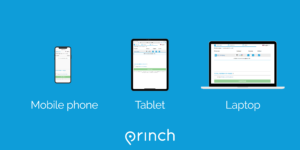
Easily and securely print from a mobile phone, tablet, or laptop, both remotely and at the library.
How to use the service
- Go to the upload page:
- When printing from a phone or tablet at the library: locate the print guide poster near the printer and scan the QR code.
- Or when printing remotely or from a laptop in the library: go to https://print.princh.com?pid=106107.
- Upload your document(s).
- Adjust the settings for each file after they are done processing (Click the wrench icon).
- Enter your email address or library card number.
- Proceed to the Print Release Station to pay for and finalize your print job.
You can also email your documents to our printer for your convenience:
- Attach documents in an email
- For black and white printing: send an email with attachments to [email protected]
- For color printing: send an email with attachments to [email protected]
- Emails must include a subject and some text in the body of the email.
- Proceed to the Print Release Station to pay for and finalize your print job.
- Attached documents will be listed individually.
- You can reprint if you need more than 1 copy.
- The email the attachments were sent in will show up as a separate pdf, in case you needed something from the email itself. Otherwise you can opt not to print that.
If you require further help, we have instructions available at our library, and you can always ask staff for help. You can also view the online mobile device guide here, or view the online laptop/desktop guide here.
Printing prices
The following prices apply to all printing:
- 8.5″ x 11″ – B/W: $0.10, color: $0.20
Photocopying
The library offers 8.5″ x 11″ photocopying on the upper level by the Circulation Desk and Reference Desk. Copies are $0.10 per page for black & white and $0.20 per page for color.
Faxing
Faxing is available at the station by the Reference & Information desk free of charge.